

McAfee LiveSafe | 1 Year

US $15.99 US $30.99Price range: US $15.99 through US $30.99


IMPORTANT NOTEMake sure you are buying the correct version
We don't accept returns or exchanges

- You will receive 1 McAfee LiveSafe key that can activate the devices you choose on the purchase.
- PC / MacOS / Android / iOS
- 1 Year Subscription.
- Redeem Your Product Key here.
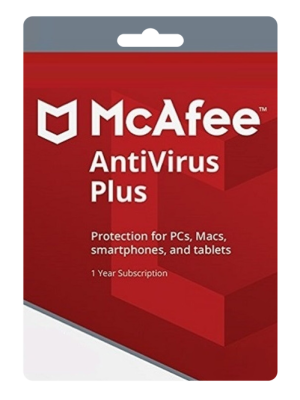
McAfee LiveSafe
McAfee LiveSafe provides comprehensive, award-winning protection for your digital life. Safeguard your identity, personal data, and devices with McAfee’s advanced security features designed to keep you safe from online threats.
McAfee LiveSafe is award-winning antivirus protection that defends against viruses, online threats, and ransomware with online and offline protection. It covers multiple features, such as:
- Available when you’re enrolled in auto-renewal**, our secure VPN uses bank-grade AES 256-bit encryption to keep your browsing information and online habits protected at home and on-the-go.
- McAfee® Security for your Android and iOS devices and cross-device protection for your PCs, Macs and more.
- McAfee® Safe Family to encourage good habits for your kids, letting you decide what they see online.
- Vulnerability Scanner to streamline Windows and application updates with a single tool that scans and installs them all.
- Identity Protection Service provides a guided identity protection experience including dark web monitoring for your email. Get expanded monitoring with auto-renewal turned on.
- Password Manager to easily secure and manage your passwords by storing, auto-filling and even generating unique passwords.
- McAfee® Web Advisor to browse, shop, and bank with confidence by sidestepping attacks with clear warnings of risky websites, links and files.
- PC Optimization to help you get things done faster by making your computer focus on the task at hand, automatically.
- Web Boost to browse without interruption and maximize your battery and bandwidth by pausing autoplay videos.
- App Boost to give your resource-hungry apps the power they need to get the job done faster.
- McAfee® Shredder™ to delete sensitive files completely, ensuring no traces are left behind.
- McAfee® QuickClean™ to remove unwanted files, reclaim storage and purge cookies and temporary files.
- McAfee’s Virus Protection Pledge that includes our 100% Guarantee: Viruses removed or your money back, available with auto-renewal.
- Free customer support via phone, chat or online for the life of your subscription.
System Requirements
For Windows Devices:
- Operating System: Windows 10, 8.1, 8, or 7 (SP1 or later)
- Processor: 1 GHz or higher
- RAM: 2 GB or higher for Windows 7 and 8; 4 GB or higher for Windows 10
- Hard Disk Space: 500 MB of available disk space
- Internet Connection: High-speed internet connection for software updates and real-time protection
- Browser: Internet Explorer 11 or later, Firefox, Chrome, Microsoft Edge
For macOS Devices:
- Operating System: macOS 10.12 or later (Sierra, High Sierra, Mojave, Catalina, Big Sur)
- Processor: Intel Core 2 Duo or higher
- RAM: 2 GB or higher
- Hard Disk Space: 500 MB of available disk space
- Internet Connection: High-speed internet connection for software updates and real-time protection
- Browser: Safari, Firefox, Chrome
For Android Devices:
- Operating System: Android 6.0 (Marshmallow) or later
- Storage: At least 100 MB of available storage
- RAM: 1 GB or higher
- Internet Connection: High-speed internet connection for downloading and updating the app, as well as real-time protection
For iOS Devices:
- Operating System: iOS 13 or later
- Device Compatibility: Compatible with iPhone, iPad, and iPod touch
- Internet Connection: High-speed internet connection for downloading and updating the app, as well as real-time protection
Product Activation
- Redeem Your Product Key:
- Open your web browser and go to the McAfee activation page: https://www.mcafee.com/consumer/en-in/ipz/r2d/flows/retailredemption.html
- Enter your product key in the designated field and click “Submit” or “Next.”
- Create or Log in to Your McAfee Account:
- If you already have a McAfee account, log in using your credentials (email and password).
- If you don’t have a McAfee account, click on “Create an Account” and follow the prompts to create one. Make sure to use a valid email address.
- Download and Install McAfee Antivirus Plus:
- After redeeming your product key and logging in to your McAfee account, you will be directed to the download page.
- Follow the on-screen instructions to download the McAfee Antivirus Plus setup file to your computer.
- Once the download is complete, double-click the setup file to begin the installation process.
- Follow the installation prompts, such as accepting the terms and conditions and choosing the installation location.
- Activate Your Subscription:
- After the installation is complete, open McAfee Antivirus Plus on your computer.
- You may be prompted to enter your McAfee account credentials again to log in.
- Once logged in, navigate to the “Subscription” or “My Account” section within the McAfee Antivirus Plus interface.
- Click on “Activate” or “Enter Product Key” and enter your product key again if prompted.
- Follow any additional prompts or instructions to complete the activation process.
- Verify Activation:
- After successfully activating your McAfee Antivirus Plus subscription, verify that your subscription status is active and that your device is protected.
- Check for any available updates to ensure you have the latest virus definitions and software enhancements.
FAQ
- How long does Delivery take?
Answer: Delivery time takes 5 – 20 min during our working hours from 8 am to 7 pm (GMT-4, Miami-USA). - How will I receive my Product Key?
Answer: you will receive it in your email address provided during checkout and registration. - Which Payment Methods are available?
Answer: currently we accept PayPal, Credit Cards through PayPal. - What should I do in case of delay in Delivery?
Answer: If your order is not delivered within 24 hours make sure to contact us through our contact page or live chat.
User Reviews
Only logged in customers who have purchased this product may leave a review.

McAfee LiveSafe | 1 Year
US $15.99 US $30.99Price range: US $15.99 through US $30.99



 EN
EN  IT
IT  ES
ES  FR
FR  DE
DE  PT
PT  SV
SV
There are no reviews yet.